Text to Speech for Claude
Have Claude's AI responses read aloud while you follow along or multitask.
How to use Voq on Claude
- Install Voq from the Chrome Web Store — it is free and requires no sign-up.
- Go to claude.ai and open or start a conversation.
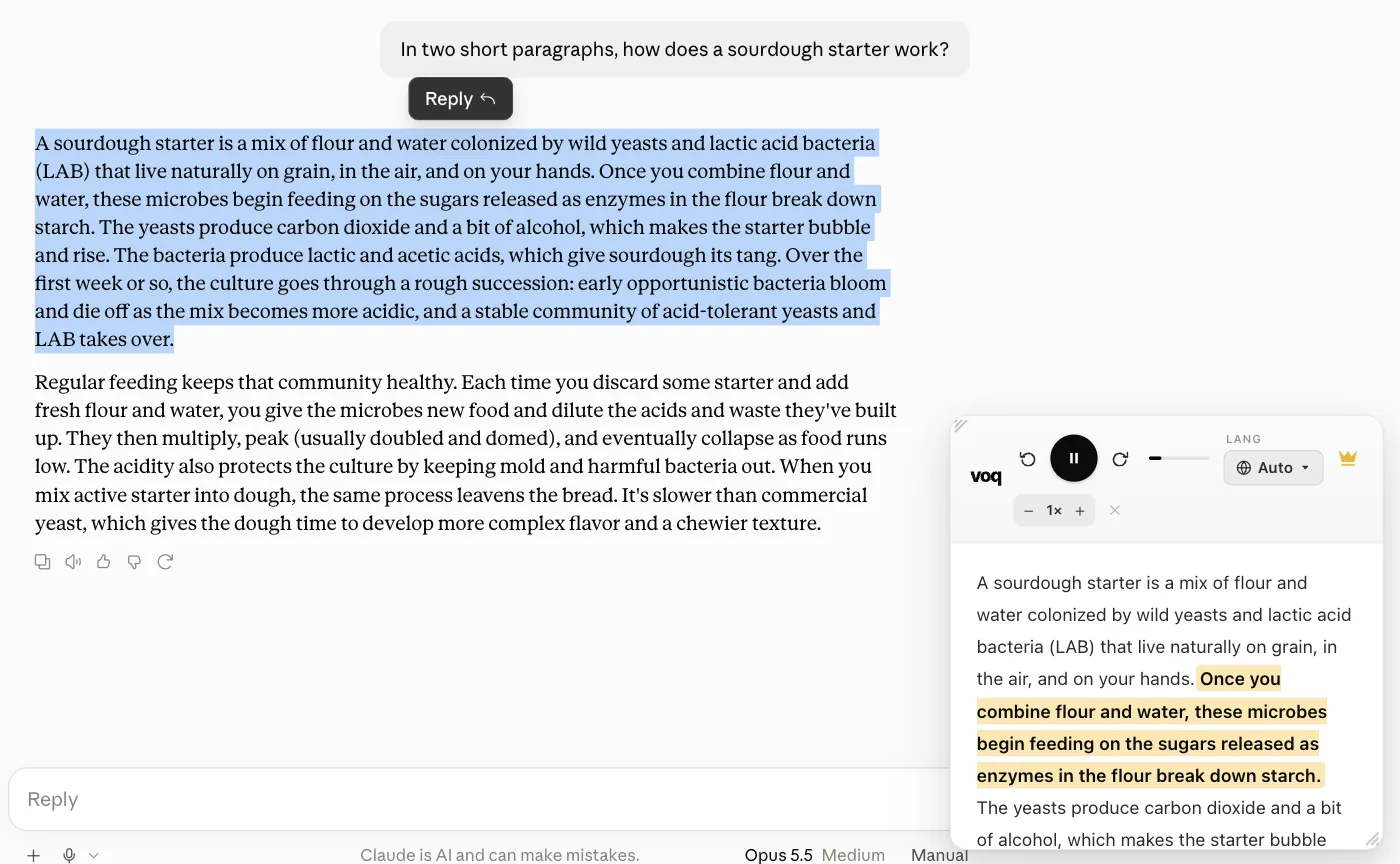
- Select the text from Claude's response that you want to hear.
- Click the Voq toolbar icon or right-click and choose 'Read with Voq'.
- The Voq reading panel opens and reads the selected text aloud.
- You can pause, skip, or change the voice at any time from the panel.
Voq is free — no account, no subscription required.
Add Voq to Chrome — Free