Text to Speech for Hacker News
Listen to Hacker News posts and comment threads without reading every word on screen.
How to use Voq on Hacker News
- Install Voq from the Chrome Web Store for free.
- Open news.ycombinator.com and navigate to a story or comment thread.
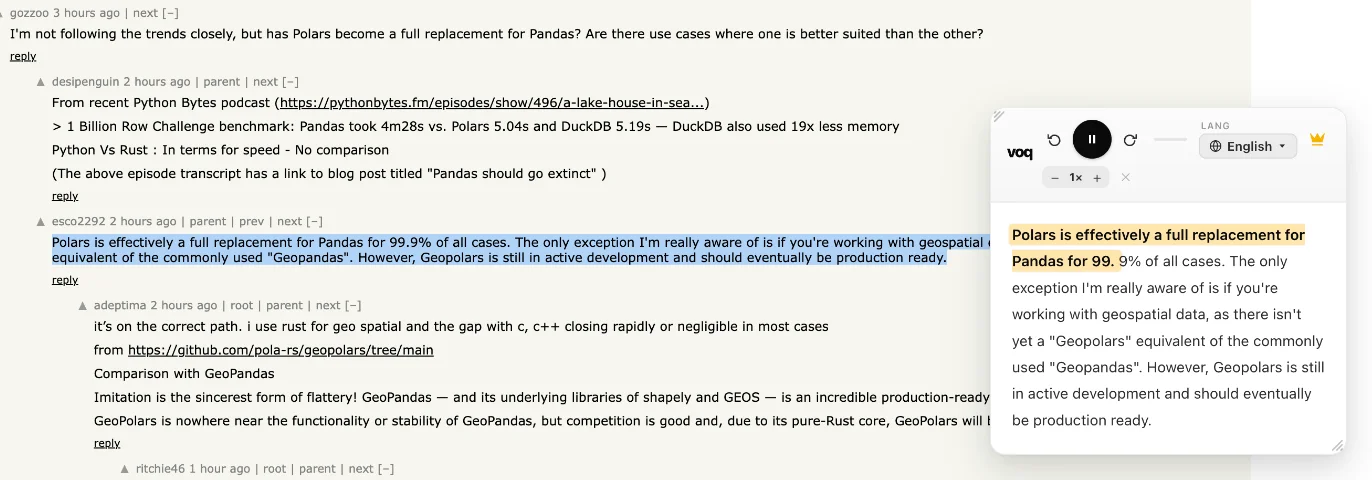
- Select the text from the post or comments you want to hear.
- Click the Voq icon in your Chrome toolbar, or right-click and pick 'Read with Voq'.
- Voq reads the selected text aloud with its reading panel.
- Pause or resume at any time, or adjust the voice speed to your preference.
Voq is free — no account, no subscription required.
Add Voq to Chrome — Free