Text to Speech for Perplexity
Have Perplexity AI search answers read aloud so you can absorb information while doing other things.
How to use Voq on Perplexity
- Install Voq from the Chrome Web Store for free.
- Visit perplexity.ai and search for anything.
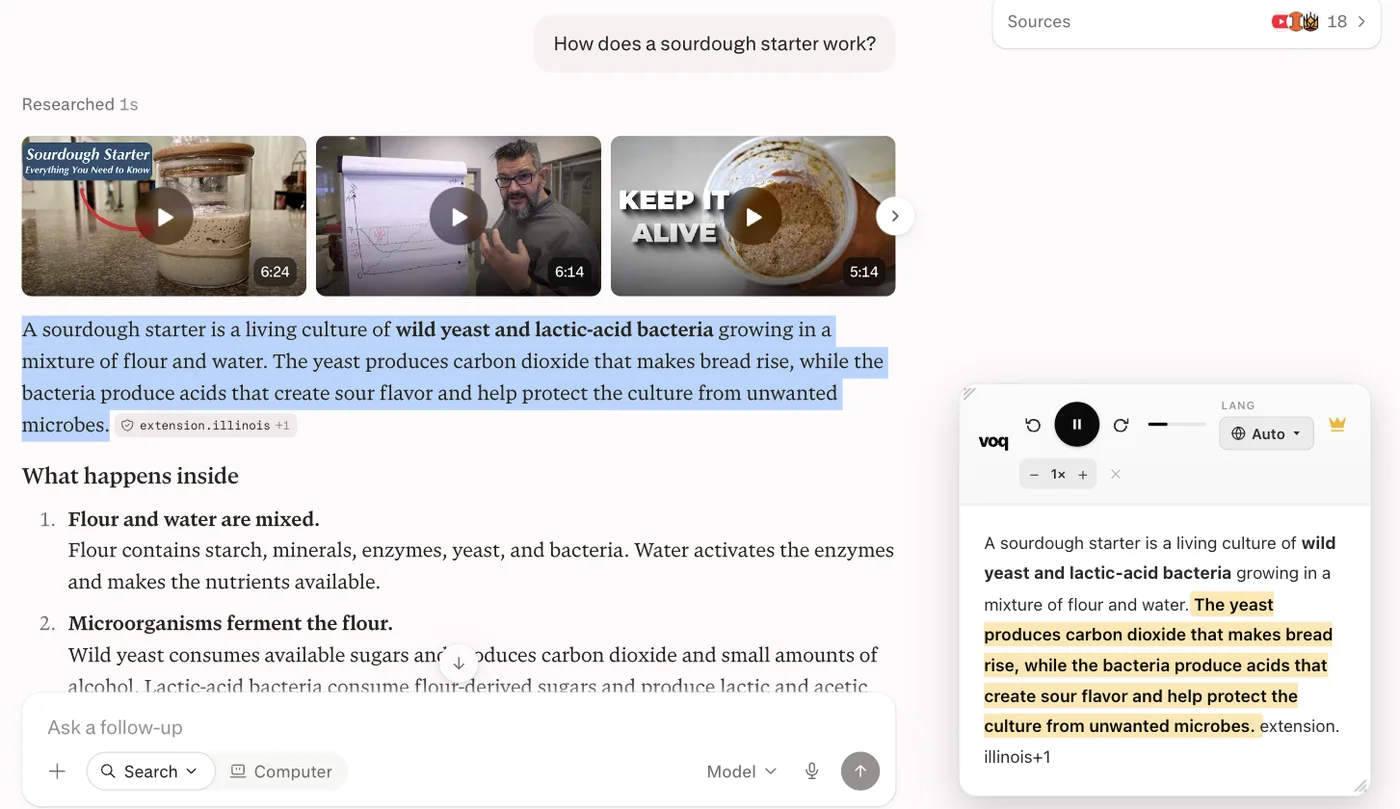
- Select the answer text or a specific section you want to hear.
- Click the Voq toolbar icon or right-click and choose 'Read with Voq'.
- Voq reads the text aloud with word-by-word highlighting in its reading panel.
- Use the controls to pause, rewind, or change the speaking rate.
Voq is free — no account, no subscription required.
Add Voq to Chrome — Free